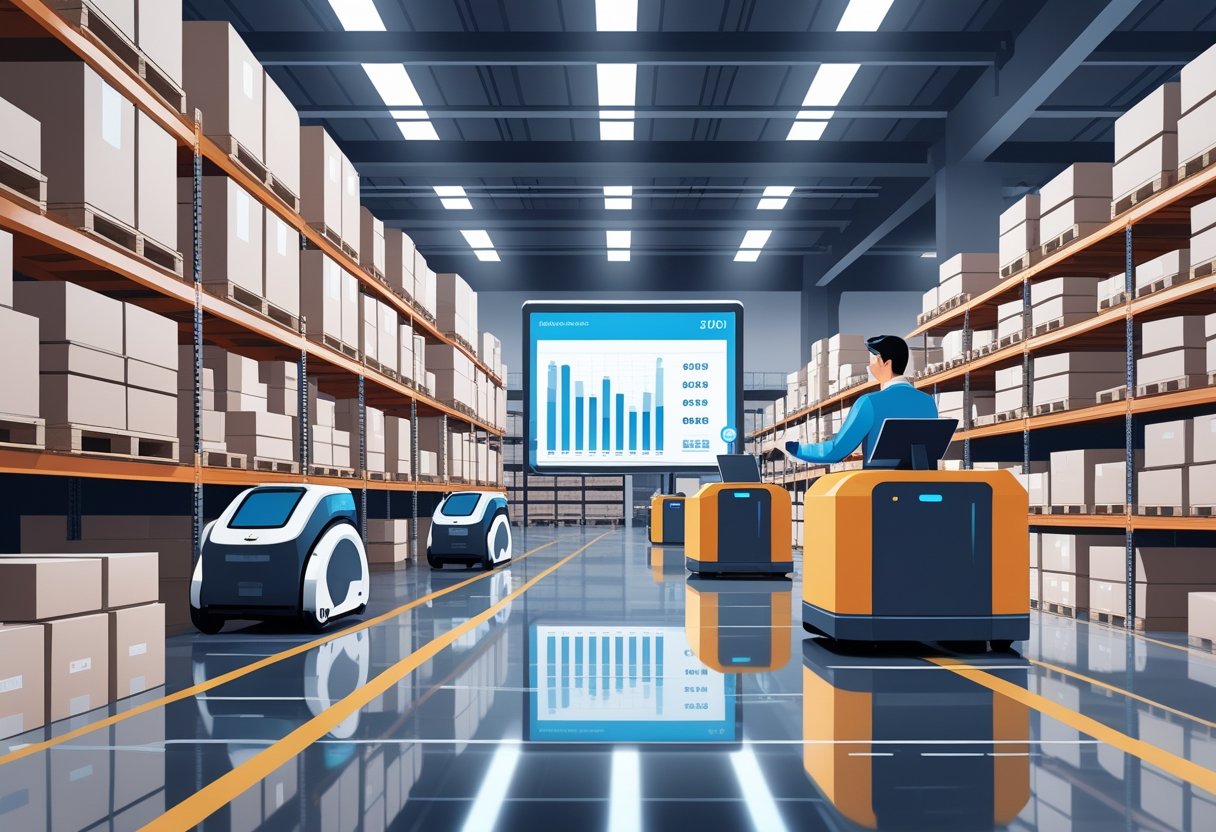
Does your finance team’s data ever clash with your warehouse’s stock counts? When information is scattered across different departments and software, it’s nearly impossible to get a clear picture of your business's health. A database inventory management system solves this by creating a central nervous system for your entire operation. It connects your sales channels, warehouse, and accounting software, ensuring everyone is working from the same up-to-the-minute information. This unified view eliminates guesswork, reduces costly errors, and streamlines communication between teams, helping you make more confident, data-backed decisions.
Key takeaways
- Move beyond spreadsheets for real-time accuracy: A dedicated inventory database acts as your single source of truth, eliminating the costly manual errors and data lags that come with spreadsheets. It gives your entire team a live, accurate view of stock levels so you can make confident decisions.
- Understand your true profitability with SKU-level data: A great system tracks more than just quantities. It connects every stock movement, supplier detail, and landed cost to a specific SKU, creating a reliable audit trail that gives you a clear picture of your financial health.
- Implement your new system with a clear strategy: A smooth transition depends on careful planning. Start by defining your business requirements, choose a scalable system that integrates with your existing tools, and invest in team training to get everyone on board.
What is a database inventory management system?
Think of a database inventory management system as the digital command center for your physical products. It’s a centralized system that keeps track of all your essential inventory data in one place. Instead of juggling spreadsheets or paper records, you have a single source of truth for stock levels, product details, supplier information, and every transaction. This system gives you a real-time, accurate view of what you have, where it is, and how it’s moving, so you can manage your inventory with confidence.
What makes up an inventory database?
A strong inventory database isn’t just one giant list. It’s a collection of linked tables that work together to keep your data organized and easy to access. The core components typically include separate tables for your products and SKUs, current stock levels, supplier details, customer transactions, and warehouse locations. This structure provides a comprehensive model for tracking every detail about your inventory. These tables are built with fields, keys, and relationships that ensure every piece of information is connected logically, making your inventory data much easier to manage and analyze.
Databases vs. spreadsheets: what's the difference?
Many businesses start out using spreadsheets to track inventory, but as you grow, their limitations become clear. Manual processes are prone to human error, and it’s nearly impossible to get a true, real-time picture of your stock. These common inventory management challenges can lead to stockouts, overstocking, and costly mistakes. A database provides a structured, secure, and scalable way to store and organize your data. It’s helpful to remember that the database itself is the organized collection of data, while the software is the user-friendly program you use to interact with it, run reports, and manage your day-to-day operations.
An inventory database is much more than a digital filing cabinet for your products. Think of it as the central nervous system for your entire operation.
Using spreadsheets for basic inventory management
Many businesses begin their inventory management journey with spreadsheets, and it’s easy to see why. They’re accessible, familiar, and seem simple enough when you’re just starting out. However, as your business grows, the limitations of spreadsheets become painfully clear. Manual data entry is prone to human error, making it incredibly difficult to maintain accurate stock counts. This reliance on spreadsheets often leads to significant inventory management challenges, including frustrating stockouts, costly overstocking, and operational mistakes that eat into your margins. What starts as a simple tool can quickly become a major liability for a scaling brand.
Spreadsheets also fail to provide a true, real-time picture of your stock levels, which is crucial for making informed decisions. The data is outdated the second it’s entered, and different departments often end up with conflicting versions of the truth. The warehouse team might have one count while the finance team is working from another, making it nearly impossible to get an accurate financial assessment or run your operations efficiently. When your teams are working from different numbers, you can’t confidently plan purchases, manage cash flow, or promise delivery dates to your customers.
Transitioning to a dedicated inventory database management system resolves these issues by creating a single source of truth. Unlike spreadsheets, a database offers a structured, secure, and scalable way to store and organize all your inventory data, providing a comprehensive, live view of stock levels and movements. For businesses managing physical goods, a system like Mandrel goes a step further by connecting every transaction to the SKU level. This gives you the end-to-end auditability needed for reliable financial reporting and confident growth, turning your inventory data into actionable intelligence.
How does an inventory database work?
An inventory database is much more than a digital filing cabinet for your products. Think of it as the central nervous system for your entire operation. It connects your sales channels, warehouse, and finance team, creating a single, reliable source of information about what you have, where it is, and how much it’s worth.
Instead of just storing data, a modern inventory database actively processes it to give you a clear, real-time picture of your business. It works by syncing data from different sources, integrating directly into your daily workflows, and automating the repetitive tasks that can slow your team down. This dynamic approach helps you move from simply tracking inventory to strategically managing it for better efficiency and growth.
How it keeps your data synced in real time
The most powerful feature of an inventory database is its ability to provide up-to-the-minute information. Every time a product is sold, received from a supplier, or moved between locations, the database updates instantly. This gives you a clear, real-time view of your stock levels across the board, which is essential for making smart decisions on the fly.
With accurate, live data, you can confidently manage your supply chain. You’ll know exactly when to reorder products to avoid costly stockouts that disappoint customers and lose sales. You can also prevent overstocking, which ties up your cash in slow-moving inventory. This real-time visibility is the foundation for a leaner, more responsive, and more profitable business.
How it fits into your daily operations
An inventory database doesn’t work in isolation. It integrates deeply into your day-to-day business activities to create a seamless flow of information. When a customer places an order on your website, the system automatically deducts that item from your inventory count. When your warehouse team receives a new shipment, they can scan it in, and the database updates immediately for your entire team to see.
This end-to-end visibility helps you connect the dots between different parts of your business. You can easily track products from the supplier to the customer's doorstep, helping you spot potential issues like shipping delays or shrinkage before they become serious problems. By integrating with your accounting and sales software, the database ensures everyone is working from the same playbook, which helps you plan and forecast with much greater accuracy.
Putting repetitive tasks on autopilot
One of the biggest advantages of a database system is its ability to automate routine tasks. You can set up custom workflows to handle the repetitive but critical jobs that used to take up hours of your team’s time. This not only saves time but also significantly reduces the chance of human error that comes with manual data entry.
For example, you can configure the system to automatically send low-stock alerts to your purchasing manager when inventory for a popular item hits a certain threshold. You can also automate the creation of purchase orders, generate weekly sales reports, or even allocate landed costs across new shipments. By letting the system handle these tasks, you free up your team to focus on more strategic work, like analyzing sales trends or improving supplier relationships.
A recent episode of the BlueOcean by StartOps podcast previewed the future of database inventory management systems
Types of inventory management systems
Not all inventory systems are created equal. The method you use to track your stock has a huge impact on your operational efficiency, financial accuracy, and ability to make smart decisions. Some systems offer a live, moment-to-moment view of your inventory, while others rely on periodic check-ins that can leave you guessing. Understanding the fundamental differences between these approaches is the first step toward choosing a system that can keep up with your business. The three main types are perpetual, periodic, and just-in-time (JIT), each with its own set of rules and outcomes for your business.
Perpetual inventory system
A perpetual inventory system is exactly what it sounds like: it tracks your stock continuously and in real time. Every time a product is sold, received, or moved, the system updates your inventory records instantly. This approach provides a live, accurate count of what you have on hand at any given moment, eliminating the need for frequent, disruptive physical counts. For businesses that manage physical goods, this real-time visibility is a game-changer. It allows you to make confident decisions about purchasing and sales, prevent stockouts, and maintain a lean supply chain. Modern ERPs like Mandrel are built on this principle, using automation to maintain a constant, accurate record of every SKU.
Periodic inventory system
In a periodic inventory system, you don’t track inventory in real time. Instead, you determine your stock levels by conducting a physical count at the end of a specific period, like a month, quarter, or year. You then use this count to calculate your cost of goods sold. While this method is simpler to set up initially and can work for very small businesses, it has significant drawbacks. It doesn’t provide a daily view of your inventory, which means you’re often making purchasing decisions based on outdated information. This can easily lead to discrepancies between your records and actual stock, resulting in unexpected stockouts or costly overstocking. The manual counting process is also time-consuming and prone to human error.
Just-in-time (JIT) system
The just-in-time (JIT) system is a strategy focused on extreme efficiency. The goal is to receive goods from suppliers only as they are needed for production or to fulfill customer orders. This approach dramatically reduces inventory holding costs and minimizes waste by ensuring you don’t have capital tied up in excess stock sitting in a warehouse. However, JIT requires incredibly precise demand forecasting and a highly reliable supply chain. A single delay from a supplier can bring your entire operation to a halt. To successfully implement a JIT model, you need a powerful inventory system that provides flawless, real-time data to predict customer demand and manage supplier timelines with confidence.
What makes an inventory database effective?
A great inventory database is more than just a digital list of what you have in stock. It’s a dynamic system built from several essential components that work together to give you a complete picture of your operations. Think of it as the central nervous system for your physical goods business. When all the parts are in place and communicating correctly, you get a single source of truth that you can rely on for everything from daily order fulfillment to long-term financial planning.
The best systems are built on four key pillars: detailed product data, real-time stock levels, organized supplier information, and a complete transaction history. Each part plays a distinct role, but their real power comes from how they connect. Getting these components right means you can stop guessing and start making data-driven decisions that help your business grow efficiently. Let’s look at what each of these parts involves.
Keeping product and SKU data organized
The foundation of any strong inventory database is clean and comprehensive product data. This is where everything starts. Each item you sell should have a detailed record that includes its name, description, category, cost, and supplier. Most importantly, every unique product variation needs its own Stock Keeping Unit (SKU). This level of detail is what allows for precise tracking and analysis. When your system is built around SKU-level intelligence, you can see exactly which products are driving revenue and which are costing you money, giving you the clarity needed to manage your business effectively.
BLOG: Why managing inventory at the SKU level is a game changer
Staying on top of stock levels and availability
Once your product data is set, the next step is to track your inventory in real time. This part of the database monitors how much stock you have on hand for every SKU, where it’s located, and when you need to reorder. It should include data on quantities, reorder points, and stock levels across different warehouses or storage locations. This visibility helps you avoid costly stockouts that lead to lost sales and prevent overstocking that ties up your cash. It’s about moving from a reactive approach, where you’re constantly putting out fires, to a proactive one where you can anticipate demand and keep your inventory perfectly balanced.
Keeping track of your suppliers
Your inventory doesn’t just appear out of thin air, which is why your database also needs to manage all your supplier information. This section should act as a central directory for every vendor you work with, storing their contact details, pricing, lead times, and a full purchase history. Having this information organized and accessible makes the procurement process much smoother. You can quickly place new orders, track incoming stock, and analyze vendor performance over time. It also provides the data needed to accurately calculate landed costs, ensuring you have a true understanding of your product profitability.
Creating clear transaction records and audit trails
Finally, a robust inventory database must record every single stock movement. This includes sales, purchase orders, customer returns, and internal adjustments like transfers or write-offs. Each transaction creates a data point, and together they form a complete, unchangeable history of your inventory. This detailed log serves as an end-to-end audit trail, which is critical for financial accuracy and accountability. It helps you pinpoint discrepancies, understand inventory flow, and ensure your financial reports are always reliable and reflect what’s actually happening in your business.
Why use a database for inventory management?
If you're running your business on spreadsheets or a patchwork of different apps, you’ve probably felt the growing pains. Information gets siloed, numbers don't match up, and you spend more time chasing down data than actually using it. This is where a dedicated inventory database changes the game. It’s not just about storing information; it’s about creating a single, reliable source of truth that your entire team can depend on.
Think of it as the central nervous system for your operations. Instead of data being scattered across different departments, a database connects everything, from the warehouse floor to your finance team. This unified view gives you the clarity you need to stop reacting to problems and start building a more proactive, resilient business. For physical goods companies, this shift is fundamental. It allows you to get a firm grip on your SKU-level data, turning inventory from a simple asset into your most powerful source of business intelligence. With a solid database foundation, you can streamline your workflows, cut down on costly errors, and make confident decisions that drive real growth.
Get more accurate data
Let's be honest, guesswork is expensive. When you don't have up-to-the-minute information, you're forced to make assumptions about what to order and when. This often leads to two costly problems: overstocking, which ties up your cash in products that aren't selling, and stockouts, which lead to lost sales and unhappy customers. A database provides real-time, accurate data, so you always know exactly what you have in stock and where it is. This clarity helps you maintain optimal inventory levels, ensuring you have enough product to meet demand without wasting money on excess stock. The result is a healthier cash flow and a much better customer experience.
Run your operations more efficiently
A database gives you end-to-end visibility across your entire supply chain. You can see the complete journey of every product, from the moment you place a purchase order with a supplier to the final delivery to your customer. This integrated view helps you spot inefficiencies and potential issues before they escalate. For example, you can quickly identify bottlenecks in your fulfillment process, track shrinkage, or monitor items with a limited shelf life to prevent spoilage. When your sales, warehouse, and finance teams are all working from the same playbook, communication improves, errors decrease, and your entire operation runs more smoothly. This is how successful brands scale without the chaos.
Save money and reduce waste
Manual data entry is not only time-consuming, but it's also a major source of human error. A simple typo in a spreadsheet can lead to ordering mistakes, incorrect financial reports, and wasted resources. An inventory database automates many of these tasks, from updating stock levels to generating reports, which significantly reduces the risk of costly errors. It also helps you understand the true cost of your inventory. By accurately tracking expenses like freight, duties, and storage, you can calculate your landed costs for each SKU. This gives you a clear picture of your profit margins, helping you price products more effectively and eliminate waste from your budget.
Make smarter decisions with real-time data
When you can trust your data, you can make better strategic decisions. An inventory database transforms raw numbers into actionable insights that help you grow your business. You can easily identify your best-selling products, pinpoint slow-moving items that are draining your resources, and analyze sales trends to forecast future demand more accurately. Instead of just managing your day-to-day operations, you can start planning for the future. This data-driven approach allows you to optimize your product mix, refine your marketing efforts, and invest in the areas of your business that will deliver the greatest return. It’s how you move from simply running your business to truly leading it.
A simple engine might work for a small operation, but a growing CPG brand with complex supply chains and thousands of SKUs needs something far more powerful and intelligent. The goal is to find a solution that not only stores your data but also helps you use it effectively.
Core inventory management techniques to know
Having a powerful inventory database is the first step. It gives you clean, reliable data. But the real magic happens when you use that data to make smarter strategic decisions. It’s not enough to just track what you have; you need to understand what your inventory is telling you about your business. This is where proven inventory management techniques come into play. These methods provide a framework for analyzing your stock, helping you decide what to order, when to order it, and how to allocate your resources most effectively. By applying these principles, you can turn your inventory data from a simple record into a strategic asset that drives profitability and growth.
Applying the 80/20 rule (Pareto principle) to your stock
You’ve probably heard of the 80/20 rule, also known as the Pareto Principle: the idea that roughly 80% of results come from 20% of the effort. In inventory, this means a small group of your products—about 20% of your SKUs—likely generates 80% of your sales. The key is to use your sales data to pinpoint that top 20%. This is where an ERP that provides clear SKU-level intelligence is essential. Once you’ve identified your star performers, you can build a strategy around them by maintaining higher safety stock and focusing your marketing budget. For the remaining 80% of slow-movers, you can take a leaner approach by holding less inventory or discontinuing poor performers. This strategic focus helps you optimize your resources and improve overall profitability.
What kind of database technology do you need?
Choosing the right database technology for your inventory management system can feel like a big decision, but it really comes down to what your business needs right now and where you plan to go. The technology that powers your inventory system is its engine. A simple engine might work for a small operation, but a growing CPG brand with complex supply chains and thousands of SKUs needs something far more powerful and intelligent. The goal is to find a solution that not only stores your data but also helps you use it effectively.
There are a few main types of database technologies to consider, each with its own strengths. Traditional options like relational (SQL) and NoSQL databases are the foundational building blocks for storing data. They differ in how they structure information, with SQL being more rigid and organized, while NoSQL offers more flexibility. Most modern systems are also cloud-based, which means you can access your inventory data from anywhere instead of being tied to a server in your office. The most advanced option, however, is an AI-native ERP system. This technology doesn't just hold your data; it actively analyzes it to provide insights and automate workflows, turning your inventory information into a strategic asset. Let's look at each of these a little closer.
The traditional choice: relational databases (SQL)
Think of a relational database as a highly organized library where every piece of information has a specific, designated spot. Using a language called SQL (Structured Query Language), these databases store data in tables with rows and columns, much like a spreadsheet. This structure is great for ensuring data integrity, meaning your information stays consistent and accurate. For inventory, this could mean linking a product table to a sales table to easily track which items are selling best.
Because they are so structured, relational databases are excellent for running complex reports and ensuring every transaction is accounted for. Systems like MySQL or PostgreSQL are popular choices for their reliability and security, making them a solid foundation for many inventory management systems.
The flexible option: NoSQL databases
If relational databases are organized libraries, NoSQL databases are more like flexible filing cabinets. They don't require a rigid, predefined structure, which makes them perfect for businesses with diverse or rapidly changing data. You can store different types of information without having to fit it all into a neat table. This adaptability is a huge advantage if you manage a wide variety of products with different attributes or if you need to scale your operations quickly.
This flexibility allows for more adaptable data management, which can be a game-changer for fast-growing companies. NoSQL databases are designed to handle large volumes of data and can be easier to scale than their relational counterparts, offering a more dynamic approach to inventory management.
The accessible choice: cloud-based solutions
A cloud-based solution isn't a type of database itself, but rather where your database lives. Instead of hosting your inventory system on a physical server at your office, it’s hosted on the internet. This is the standard for most modern software for a reason. It gives you and your team the freedom to access real-time inventory data from anywhere, whether you’re at the warehouse, in the office, or on the go.
This approach also simplifies IT management, as the provider handles server maintenance, security, and updates. Cloud-based systems facilitate better collaboration and ensure that everyone is working with the most current information. This is essential for accurate order fulfillment and strategic planning in a fast-paced market.
AI-native ERP systems
AI-native ERP systems represent the next step in inventory management. They go beyond simple data storage and retrieval by embedding artificial intelligence directly into their core. Instead of just telling you how many units you have on hand, an AI-native system can predict future demand, suggest optimal reorder points, and even automate complex financial workflows like landed cost allocation. This turns your inventory data from a static record into actionable intelligence.
These smart systems help you make more strategic decisions, reduce waste, and improve profitability by automating tasks that once required hours of manual work. For physical goods businesses, an AI-native ERP provides SKU-level visibility that connects your operations directly to your finances, giving you a clear and accurate picture of your business health.
Your checklist for choosing an inventory system
When you start shopping for an inventory system, the options can feel overwhelming. Every platform promises to solve your problems, but the right one will have a specific set of features designed to handle the complexities of a physical goods business. It’s not just about storing data; it’s about turning that data into a tool that helps you operate more efficiently and profitably. To cut through the noise, focus on these core capabilities that will make a real difference in your day-to-day operations and long-term growth.
✓ Real-time inventory tracking
Knowing what you have and where it is at all times is non-negotiable. Real-time tracking gives you a live, accurate picture of your stock levels across every warehouse, storefront, and sales channel. This means you can confidently prevent stockouts, avoid overselling, and make quick decisions about transfers or reorders. A system that provides SKU-level visibility is essential for this, allowing you to monitor the movement and profitability of every single item. Without this live data, you’re essentially managing your inventory with one hand tied behind your back.
✓ Forecasting and analytics tools
Great inventory management is as much about predicting the future as it is about managing the present. Look for a system with robust forecasting and analytics tools that can help you anticipate demand. These features analyze historical sales data, identify trends, and help you make smarter purchasing decisions. This prevents you from tying up cash in slow-moving products or missing out on sales during a seasonal rush. Strong demand forecasting helps you optimize stock levels, improve cash flow, and keep your customers happy by always having their favorite products available.
✓ Easy integration and scalability
Your inventory system doesn't operate in a vacuum. It needs to connect seamlessly with the other software you rely on, like your accounting platform, e-commerce store, and shipping carriers. A system with easy integration capabilities prevents data silos and manual data entry, which saves time and reduces errors. Just as importantly, the system should be able to scale with you. As your business grows, adds new products, or expands to new locations, your inventory database should adapt without requiring a complete overhaul. This ensures your technology supports your growth instead of holding it back.
✓ A simple interface with mobile access
The most powerful software in the world is useless if your team finds it too complicated to use. A clean, intuitive interface is crucial for quick adoption and everyday efficiency. Your team should be able to find information and complete tasks without needing extensive training or a user manual. Mobile access is also a key part of modern inventory management. It allows your warehouse staff to update stock levels, perform cycle counts, and process orders directly from the floor with a phone or tablet. This keeps your data accurate and your operations moving smoothly.
Switching to a new inventory database is a big step, and like any major upgrade, it can come with a few hurdles. But don't worry, these challenges are completely manageable with a bit of planning.
Key system features
Beyond the high-level checklist, there are a few specific, non-negotiable features that any modern inventory system should have. These are the nuts and bolts that make everything else run smoothly. Think of them as the foundational tools that eliminate manual work, reduce errors, and give you a clear, accurate view of your operations. When you’re evaluating different platforms, make sure these core functions are not just available, but are also robust and easy for your team to use. They are essential for building an efficient and scalable inventory management process.
Barcode and QR code scanning
Manual data entry is the enemy of accuracy. Barcode and QR code scanning replaces tedious typing with a quick, simple scan, dramatically reducing human error and speeding up your entire workflow. This technology is crucial for "quick, accurate entry and movement tracking," from the moment a shipment arrives at your receiving dock to when an order is picked, packed, and shipped to a customer. It also makes tasks like cycle counts and stock transfers much faster and more reliable. By integrating scanning into your daily operations, you ensure the data in your system always matches the reality on your warehouse floor.
Multi-location management
As your business grows, your inventory will likely be spread across multiple places. A system with strong multi-location management is essential for "tracking stock across warehouses, retail stores, or remote sites." This feature gives you a single, unified view of your entire inventory, no matter where it’s physically located. You can easily see stock levels at each location, transfer items between them to meet demand, and prevent situations where one warehouse is out of stock while another is overstocked. It’s a critical tool for maintaining balance and efficiency as you scale your fulfillment.
Reporting and analytics
Your inventory data is a goldmine of business intelligence, but only if you have the right tools to analyze it. A great system provides "in-depth reports on inventory valuation and turnover," helping you understand what’s really happening in your business. You should be able to easily identify your best-selling products, pinpoint slow-moving stock that’s tying up cash, and analyze sales trends to forecast future demand. This is where a system that provides SKU-level intelligence truly shines, giving you a clear picture of profitability for every single item you sell.
Essential integrations
Your inventory system needs to be a team player. It must have the "ability to sync with e-commerce platforms (Shopify, WooCommerce) and accounting software (QuickBooks)" to create a truly connected business ecosystem. Seamless integrations eliminate the need for manual data transfers between systems, which saves time and prevents costly errors. When your sales channels, inventory database, and financial software are all speaking the same language, you get a single source of truth that ensures your sales, operations, and finance teams are always on the same page.
Key provider considerations
Choosing the right software is only half the battle. The company behind the technology is just as important. You’re not just buying a product; you’re entering into a long-term partnership with a provider who will play a key role in your business operations. A great provider will be more than just a vendor—they’ll be a resource you can rely on for support, guidance, and expertise. Before you sign a contract, take the time to evaluate the provider on these key factors to ensure you’re choosing a partner who is truly invested in your success.
Customer support and training
Even the most intuitive software comes with a learning curve. That’s why excellent customer support is so critical. A good provider will ensure "there should be training, setup help, and quick support when you need it." Look for a partner who offers comprehensive onboarding to get your team up and running smoothly and provides responsive, helpful support when questions arise. This partnership is key to minimizing downtime and making sure you’re getting the most value out of your investment. A provider who is easy to reach and eager to help is a sign of a healthy long-term relationship.
Data security
Your inventory and financial data are among your company’s most valuable assets, so you need to know they’re protected. A trustworthy provider will make data security a top priority. They should be transparent about their security measures and be able to demonstrate how "it should protect your business data" from unauthorized access or loss. Ask about their protocols for data encryption, regular backups, and disaster recovery. Choosing a provider with a strong commitment to security gives you the peace of mind that your critical business information is in safe hands.
Cloud vs. on-premise deployment
You’ll also need to decide where your database will live. While some businesses still use on-premise servers, "most modern systems are also cloud-based, which means you can access your inventory data from anywhere." For most growing CPG brands, a cloud solution is the clear winner. It offers the flexibility to manage your business from any location, simplifies IT by offloading server maintenance to the provider, and makes it easier to scale your operations. This model ensures your team always has access to real-time information, whether they’re in the office, at the warehouse, or on the go.
Transparent pricing
Before you commit to a system, it’s important to "set a budget: Figure out how much you can spend" and get a clear understanding of the total cost. Look for a provider with a straightforward and transparent pricing model. You should be able to easily understand what’s included in your subscription and what might cost extra, such as implementation, training, or adding more users. A provider who is upfront about all potential costs is one you can trust. Avoid vendors with complicated pricing structures or hidden fees, as they can lead to unexpected expenses down the road.
Examples of inventory management software
The world of inventory software is vast, and different systems are built to solve different problems. You’ll find everything from massive, all-in-one platforms designed for global corporations to simple tools perfect for a local boutique. The key is to find the software that fits the unique shape of your business. A system that’s perfect for a direct-to-consumer manufacturer might not work for a retailer with multiple storefronts. Understanding these core differences, like those seen in various top-tier inventory management systems, will help you narrow down your options and find a solution that truly supports your operational needs and growth ambitions.
Comprehensive ERPs like NetSuite
Enterprise Resource Planning (ERP) systems like NetSuite are the heavyweights of inventory management. They are designed to be a single, comprehensive platform that handles nearly every aspect of a large business, from inventory and supply chain to accounting, HR, and customer relationship management. For mid-sized to large enterprises with complex global operations, a robust ERP can provide the structure and control needed to manage everything under one roof. These systems are known for their power and depth, offering detailed reporting and process management that can handle immense scale, but their complexity can be overkill for smaller, more agile brands.
Manufacturing-focused systems like Katana
If you make your own products, a manufacturing-focused system like Katana might be a better fit. These platforms are built from the ground up to handle the specific challenges of production. They excel at tracking raw materials, managing bills of materials (BOMs), and providing visibility into the entire production workflow, from sourcing components to assembling finished goods. With features like visual production dashboards and scheduling tools, they give manufacturers the control they need to optimize their processes, reduce waste, and ensure products are made on time. This specialization makes them incredibly powerful for makers and direct-to-consumer brands that manage their own production lines.
Retail and POS solutions like Square
For businesses with a strong brick-and-mortar presence, retail and point-of-sale (POS) systems like Square for Retail are often the go-to choice. Their biggest strength is the seamless integration between sales and inventory. Every time a customer makes a purchase at the register, the system automatically updates your stock levels in real time. This is perfect for cafes, boutiques, and restaurants that need simple, immediate inventory tracking tied directly to their daily sales. While many of these systems offer free or low-cost plans, they often have limitations when it comes to managing more complex supply chains or multi-warehouse operations.
Customizable open-source options like Odoo
For businesses with truly unique needs, customizable open-source platforms like Odoo offer a flexible alternative. These systems are modular, allowing you to pick and choose the specific features you need, from inventory and manufacturing to accounting and sales. Because it's open-source, you have the freedom to modify the code and build a completely bespoke solution tailored to your exact workflows. However, this high degree of customization comes at a cost. It typically requires significant technical expertise and development resources to implement and maintain, making it a better fit for companies with a dedicated in-house IT team.
Getting ahead of common implementation challenges
Switching to a new inventory database is a big step, and like any major upgrade, it can come with a few hurdles. But don't worry, these challenges are completely manageable with a bit of planning. Knowing what to expect is half the battle. By preparing for potential issues with data migration, system integration, team adoption, and security, you can ensure a smooth transition and start seeing the benefits of your new system much faster.
Moving your data without the mess
Moving your data from an old system to a new one, known as data migration, is often the first big task. The main challenge here is ensuring the data you move is clean, accurate, and complete. After all, a new system running on bad data won't give you the reliable insights you need. As experts at Nexdriver point out, it's crucial that data flows seamlessly to avoid disrupting your operations.
Start by auditing your current data. This is your chance to clean house: fix typos, remove duplicate entries, and standardize formats across the board. Before you move anything, map out exactly where each piece of old data will live in the new system. Finally, run a small test migration to catch any errors before you commit to moving everything over.
Making sure your systems talk to each other
Your inventory database doesn't operate in a silo. It needs to communicate with your other essential tools, like your accounting software, ecommerce platform, and shipping carriers. Integrating these systems can be complex, and it requires a clear plan for how data will flow between them. Without proper integration, you can end up with information gaps and time-consuming manual work, defeating the purpose of upgrading in the first place.
When choosing a new system, look for one that offers pre-built or native integrations with the software you already use. An AI-native ERP like Mandrel is designed to be the central hub for your operations, connecting different parts of your business. If a direct integration isn't available, check for API access, which allows for custom connections.
Getting your team on board
A powerful new system is only effective if your team knows how to use it. Resistance to change is natural, so it's important to manage the human side of the implementation. The key is to show your team how the new database will make their jobs easier, not harder. Investing in proper training and onboarding is essential for getting everyone comfortable and confident with the new workflows.
Start by clearly communicating the reasons for the change and the benefits everyone will see. Provide hands-on training sessions that are tailored to different roles within your company. It also helps to identify a few "champions" on your team who can help support their colleagues and build positive momentum around the new system.
Keeping your system fast and secure
Your inventory data is one of your most valuable assets, so your database needs to be both fast and secure. Performance issues can lead to frustrating delays, especially during busy periods, while a security breach could expose sensitive company and customer information. Without tight control over your assets, businesses are vulnerable to security risks and data loss.
Your system must provide real-time inventory visibility to be effective. When evaluating options, ask about security protocols like data encryption and user access controls. A modern, cloud-based system can also offer the scalability you need to grow without sacrificing performance. This ensures your database remains a reliable and secure foundation for your business operations.
Future trends in inventory management
The world of inventory management is always moving forward, and the technology that supports it is evolving right alongside it. The database systems of today are laying the groundwork for even smarter, more connected operations tomorrow. Staying aware of these future trends isn't just about keeping up with the latest tech; it's about understanding where the industry is headed so you can build a business that's ready for the future. From AI-powered tracking to a greater emphasis on sustainability, these shifts are changing how physical goods businesses operate for the better.
The internet of things (IoT) for real-time tracking
Imagine a warehouse where every pallet, box, and item reports its own location and status in real time, without anyone needing to scan a barcode. That’s the promise of the Internet of Things (IoT). By using smart sensors and RFID tags, IoT technology allows you to track your inventory with incredible precision as it moves through your supply chain. Modern inventory systems are using new tech like AI and cloud computing to help businesses track stock better, reduce mistakes, and see what's happening in real-time. This constant stream of data feeds directly into your central database, giving you a live, automated view of your entire operation and eliminating the manual errors that come with periodic counts.
Seamless omnichannel management
Today, your customers expect to find your products everywhere—on your website, on Amazon, and in their local retail stores. But selling across multiple channels creates a huge challenge: keeping your inventory synchronized. A seamless omnichannel experience depends on a single source of truth. The next generation of inventory systems will make it easier to see and manage stock across physical stores, online shops, and other selling platforms all at once. When a product sells in one place, your central database instantly updates the available quantity everywhere else. This prevents overselling, disappoints fewer customers, and opens up new possibilities like buy-online-pickup-in-store, creating a smoother customer journey.
A growing focus on sustainability
Sustainability is becoming a core part of business strategy, and your inventory management plays a surprisingly big role. It’s not just about reducing your carbon footprint; it’s about running a more efficient, less wasteful operation. A smart inventory database can help you achieve both. Future-focused systems will help businesses reduce waste and use more sustainable practices by providing the data needed to make better decisions. For example, more accurate demand forecasting means you produce and order only what you need, which is especially critical for products with a limited shelf life. This data also helps you optimize shipping routes and consolidate orders, cutting down on both fuel costs and emissions.
The rise of mobile inventory apps
The days of running back to a desktop computer to update inventory records are over. The future of warehouse management is mobile, putting powerful tools directly into the hands of the people who need them most. As we’ve noted before, mobile access is a key part of modern inventory management. It allows your warehouse staff to update stock levels, perform cycle counts, and process orders directly from the floor with a phone or tablet. This not only speeds up workflows but also dramatically improves data accuracy by capturing information at the source. When your team can scan a new shipment or pick an order and have the central database update instantly, your entire operation becomes more responsive and efficient.
A 4-step plan for a successful implementation
Switching to a new inventory database is a big move, but it doesn't have to be a painful one. A successful rollout hinges on a solid plan that goes beyond just installing software. It’s about preparing your data, your processes, and most importantly, your people for the change. When you approach implementation with a clear strategy, you set your business up to reap the rewards of better data and smoother operations much faster.
Think of it as a four-part project: planning, choosing, migrating, and training. Each stage builds on the last. A thoughtful requirements plan helps you select the perfect system. A well-designed system makes data migration and integration easier. And a smooth technical transition paves the way for effective team training. By breaking the process down into these manageable steps, you can confidently move your business forward without disrupting your day-to-day operations. Let’s walk through how to get each step right.
Step 1: Plan and define your requirements
Before you even look at a single demo, you need to know exactly what you’re looking for. The first step is to clearly define what your business needs from an inventory system. This means looking beyond just tracking stock levels. Talk to everyone who will touch the system, from the warehouse team packing orders to the finance department managing costs. What are their biggest daily challenges? What information do they need to do their jobs better?
Create a detailed list of your requirements. Separate the absolute must-haves from the nice-to-haves. This will help you streamline your operations and ensure you choose a system that solves your real-world problems, not just the ones you think you have.
Step 2: Choose the right system and design
With your requirements list in hand, you can start evaluating potential systems. Look for a solution that not only meets your current needs but can also grow with you. Modern inventory systems are strategic tools that help you plan and project, not just maintain records. You need a platform that provides the actionable intelligence to improve profitability and better serve your customers.
When you review different options, ask specific questions based on your requirements. How does the system handle landed costs? Can it provide real-time, SKU-level profitability? Does it automate financial workflows? Choosing the right partner means finding a system designed to handle the complexities of a modern physical goods business.
Step 3: Manage data migration and integration
Moving your data from an old system to a new one is one of the most critical parts of the process. Start with a data cleanup. You don’t want to bring messy, inaccurate information into your shiny new database. Verify your SKU data, audit your current inventory counts, and standardize your supplier information before you begin the migration.
Integrating the new system with your existing tools, like your accounting or sales platforms, is just as important. Map out how data will flow between each system to ensure everything communicates seamlessly. Addressing these integration challenges early on is key to getting the full benefit of your new inventory software from day one.
Step 4: Train your team and manage the change
A new system is only as good as the people who use it. Proper training is essential for a smooth transition. Develop a training plan that is tailored to different roles within your company. Your warehouse manager will need different skills than your financial controller, so make the training relevant to their daily tasks.
Beyond just teaching people which buttons to click, focus on managing the change. Communicate clearly and often about why you’re making the switch and how it will benefit both the company and individual employees. When your team understands the vision and feels supported through the transition, they are far more likely to embrace the new system and help you achieve your business goals.
Keeping your system in top shape involves a mix of technical checks, data hygiene, and team collaboration. It’s about creating a routine that prevents small issues from turning into major headaches.
Keeping your system running smoothly
Getting your new inventory database up and running is a huge milestone, but the work doesn’t stop there. Think of it like a car: you can’t just buy it and expect it to run perfectly forever without any maintenance. To get the most out of your investment and ensure it continues to support your business effectively, you need to give it regular attention.
Keeping your system in top shape involves a mix of technical checks, data hygiene, and team collaboration. It’s about creating a routine that prevents small issues from turning into major headaches. A well-maintained system is one you can rely on for accurate data, efficient workflows, and smart decision-making, especially as your business grows and changes. By staying proactive, you ensure your database remains a powerful asset that helps you stay organized and profitable.
Schedule regular updates and data check-ups
Your inventory data is only useful if it’s accurate. Over time, small errors from manual entries, returns, or supplier mistakes can creep in and throw off your numbers. That’s why it’s so important to regularly update your data and perform audits to make sure everything is correct. This is especially true during busy seasons when the risk of discrepancies is higher.
Set a schedule for routine checks, like cycle counting, where you audit small portions of your inventory on a rotating basis. This is much less disruptive than a full physical count. These regular audits help you catch issues early, maintain data integrity, and ensure the numbers you see in your system reflect what’s actually on your shelves.
Keep an eye on system performance
Once your database is integrated with your other tools, you’ll want to keep an eye on how everything is working together. Is data flowing smoothly between your ecommerce platform, accounting software, and warehouse systems? Are there any lags or bottlenecks that slow down your team? Monitoring your system’s performance helps you spot and fix these issues before they disrupt your operations.
Addressing integration challenges early is key to getting the full benefit of your inventory software. A system like Mandrel is built to provide a single source of truth, but that requires seamless data flow. Regularly check for errors and ensure your automations are running as expected. This proactive approach keeps your operations efficient and your data reliable.
Involve your team and gather feedback
The people using the inventory system every day are your best resource for understanding what’s working and what isn’t. Your warehouse staff, procurement team, and customer service reps have firsthand experience with the system’s quirks and strengths. Investing in proper training is the first step, but creating a continuous feedback loop is just as important.
Encourage your team to share their thoughts, report problems, and suggest improvements. This not only helps you identify areas for refinement but also makes your team feel heard and invested in the system’s success. When your staff has the skills and knowledge to use the software effectively, you’ll see a direct impact on your company’s overall efficiency and productivity.
Plan for future growth
Your business isn’t static, and your inventory management system shouldn’t be either. As you add new products, expand into new markets, or open additional warehouses, your system needs to be able to scale with you. A database that works for 100 SKUs might struggle with 1,000, so it’s crucial to choose a solution built for growth.
Think about your long-term goals. Do you plan to add more sales channels or explore international shipping? Make sure your system is flexible enough to adapt to these changes. The best inventory systems are designed to help businesses save money and keep products available as they scale. By planning for the future, you can avoid the pain of outgrowing your software and having to start the implementation process all over again.
Related articles
- Inventory Management System Software: 6 Best Tools Compared
- What “AI-Native ERP” Actually Means (And What It Doesn’t)
- Spreadsheets, IMS, or ERP? The Architecture Question Most Brands Miss
- SKU-Level Economics: What Your Gross Margin Isn’t Telling You
- Landed Costs: Not Just Another Financial Metric
Frequently asked questions
We use spreadsheets right now. When is it time to switch to a database?
The tipping point usually comes when your spreadsheets start creating more problems than they solve. If you're constantly dealing with manual entry errors, struggling to know your true stock levels in real time, or experiencing frequent stockouts or overstocking, it's a clear sign you've outgrown your current method. A database becomes necessary when you need a single, reliable source of truth that your entire team can access to make faster, more accurate decisions.
What's the real difference between a regular database and an AI-native system?
Think of it this way: a regular database is like a perfectly organized digital filing cabinet. It stores your information securely and lets you find what you need. An AI-native system is like having a smart assistant who not only organizes the cabinet but also analyzes the information inside. It can identify trends, predict future demand, and automate complex tasks like allocating landed costs, turning your raw data into actionable advice that helps you run the business more profitably.
Will my team struggle to learn a new inventory system?
It's a valid concern, as any new tool comes with a learning curve. The key is to choose a system with a clean, intuitive interface and to prioritize training. The goal of a new system is to make everyone's job easier, not more complicated. When you involve your team in the process and provide role-specific training, you'll find that people adapt quickly, especially when they see how it eliminates tedious tasks and helps them work more effectively.
Our product data is a mess. Do we need to fix it before moving to a new system?
Yes, absolutely. Moving messy data into a powerful new system will only give you messy results faster. Think of the migration process as the perfect opportunity for a fresh start. Taking the time to clean up your SKU data, standardize formats, and remove duplicates before you switch is one of the most important steps. This ensures you're building your new operational foundation on clean, accurate, and reliable information from day one.
How does an inventory database help with financial accuracy?
An inventory database creates a direct, unbreakable link between your physical products and your financial records. Every sale, purchase, and return is recorded, creating a complete audit trail. This allows for precise landed cost calculations for each SKU and provides a real-time valuation of your inventory. Instead of relying on month-end estimates, your financial reports reflect the true state of your business, which is critical for accurate accounting and smart financial planning.